
30 vs 60 vs 96 vs 144 LEDs/m Addressable LED Strip: How to Choose Pixel Density?
When choosing an addressable LED strip, one of the first specifications you will usually see is LEDs per meter.
Common options include 30 LEDs/m, 60 LEDs/m, 96 LEDs/m and 144 LEDs/m. At first glance, the difference seems simple: more LEDs mean a denser LED strip.
However, LED density affects much more than appearance. It can influence pixel resolution, animation smoothness, viewing distance, power consumption, controller capacity and the total cost of the lighting system.
More importantly:
LED density and pixel density are not always the same thing.
If you are new to digital LED strips, our Ultimate Guide to Addressable LED Strip explains the basic structure, IC types and control methods in more detail.
For project selection, however, the key question is not simply “Which strip has more LEDs?” but rather:
How much pixel resolution does the application actually need?
What Does LEDs/m Mean?
LEDs/m refers to the number of LED packages installed on one meter of LED strip.
For example:
- 30 LEDs/m = 30 LEDs on one meter
- 60 LEDs/m = 60 LEDs on one meter
- 96 LEDs/m = 96 LEDs on one meter
- 144 LEDs/m = 144 LEDs on one meter
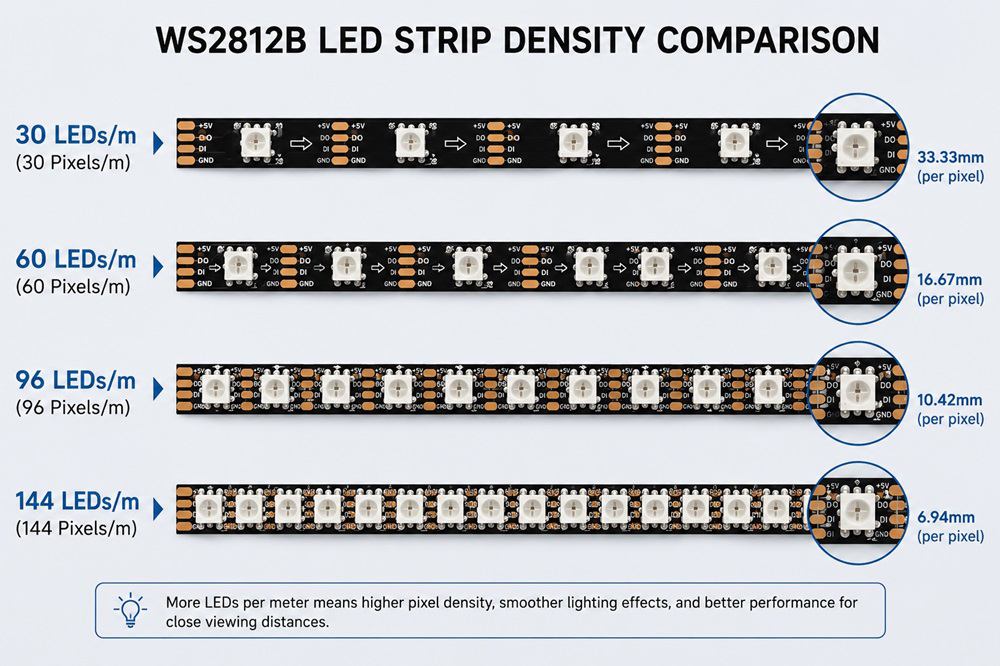
As LED density increases, the spacing between adjacent LEDs becomes smaller.
| LED Density | Approx. LED Spacing |
| 30 LEDs/m | 33.33 mm |
| 60 LEDs/m | 16.67 mm |
| 96 LEDs/m | 10.42 mm |
| 144 LEDs/m | 6.94 mm |
Smaller spacing generally produces smoother visual effects, especially when the strip can be seen directly or viewed from a short distance.
But this does not mean that 144 LEDs/m is automatically better than 60 LEDs/m. The correct choice depends strongly on the application.
LED Density vs Pixel Density: What Is the Difference?
A pixel is the smallest lighting unit that can be controlled independently.
With many individually addressable LED strips such as WS2812B and SK6812 RGB:
1 LED = 1 pixel
Therefore:
60 LEDs/m = 60 pixels/m
and:
144 LEDs/m = 144 pixels/m
You can view different options in our Individually Controlled Addressable LED Strip range, which includes different ICs, LED densities and pixel configurations.
However, not every addressable LED strip uses one LED as one pixel.
An external-IC strip may have:
60 LEDs/m but only 20 pixels/m
if three LEDs operate together as one controllable pixel.
Another design may use six LEDs per pixel.
This means that two strips with the same number of LEDs can have completely different animation resolutions.
When comparing addressable LED strips, it is therefore better to check three specifications together:
LEDs/m + Pixels/m + LEDs per Pixel
30 LEDs/m: Suitable for Longer Viewing Distances
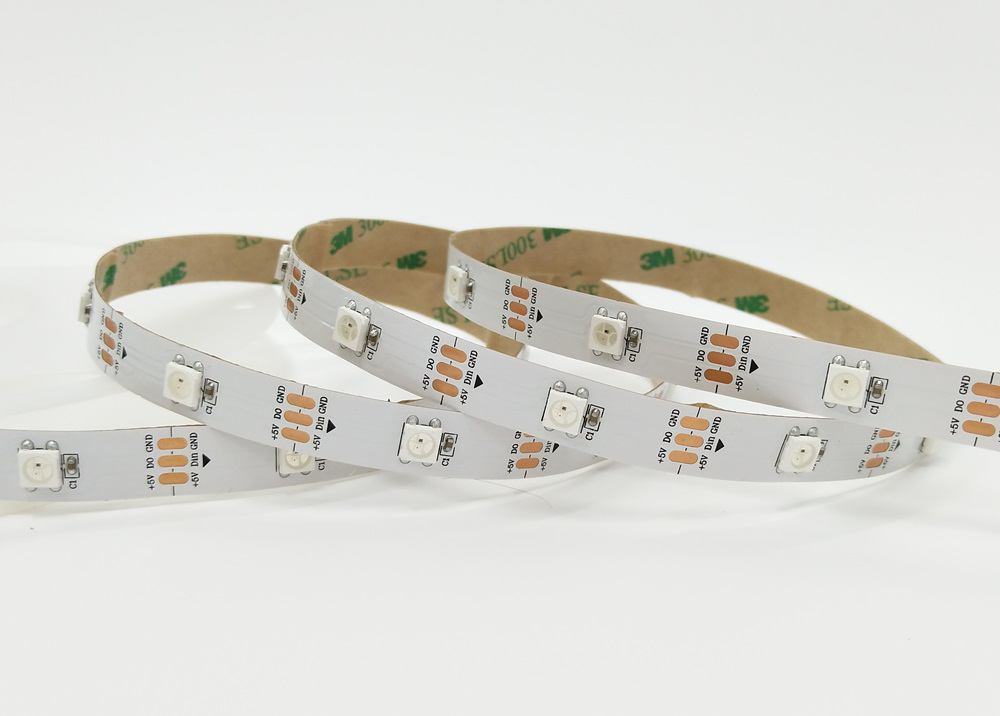
A 30 LEDs/m addressable LED strip has approximately 33.33 mm spacing between LEDs.
At close range, individual light points are relatively easy to see. But for projects viewed from several meters away, this may not be a problem.
30 LEDs/m can work well for:
- Building outlines
- Large decorative installations
- Stage scenery
- Event lighting
- Long linear chasing effects
- Projects with longer viewing distances
Because there are fewer LEDs and pixels per meter, the system can also require less controller capacity and potentially lower total power.
For a large architectural installation, using 144 pixels/m when the audience is 20 meters away may add considerable system cost without producing a meaningful visual improvement.
60 LEDs/m: A Practical Balance
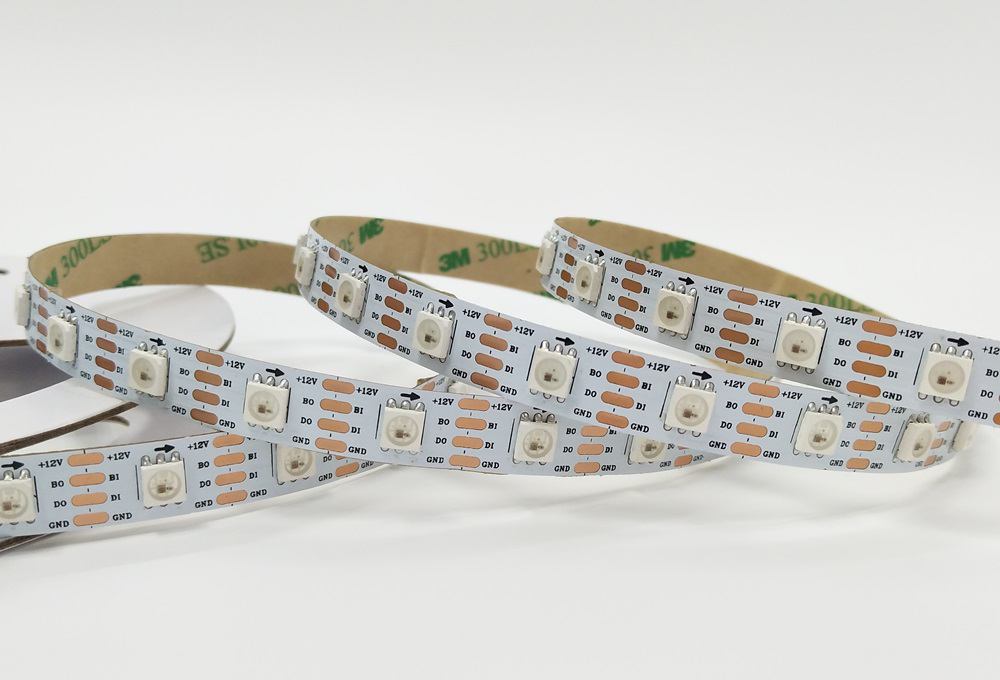
60 LEDs/m is one of the most commonly used densities for addressable LED strips.
The approximate spacing between LEDs is:
16.67 mm
This provides noticeably smoother lighting and animation than 30 LEDs/m while still keeping the number of pixels manageable.
For an individually addressable WS2812B or SK6812 design:
60 LEDs/m = 60 pixels/m
This density is suitable for many applications:
- Retail displays
- Signage
- Decorative lighting
- Gaming lighting
- Entertainment equipment
- Interior architectural lighting
- Creative installations
For many commercial projects, 60 LEDs/m provides a good balance between visual quality, cost, controller capacity and power consumption.
WS2812B and SK6812 are both commonly used for this kind of individual pixel control. If you want to understand their differences, see our WS2812B LED Strip vs SK6812 RGB LED Strip comparison.
96 LEDs/m: Smoother Effects for Close Viewing
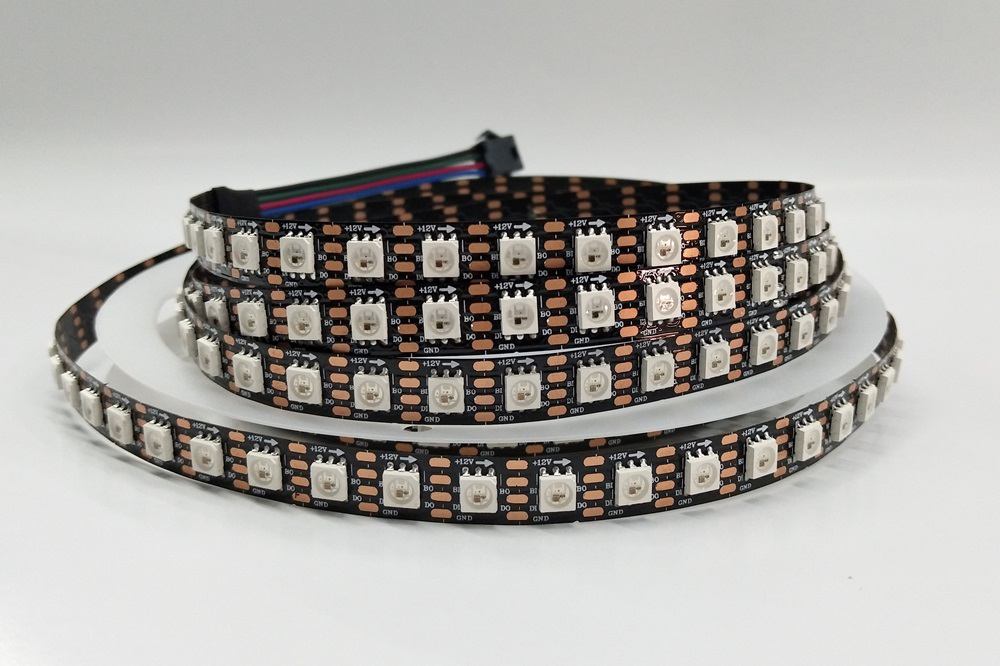
At 96 LEDs/m, the approximate spacing is reduced to:
10.42 mm
The smaller distance between pixels makes animation, chasing effects and color transitions appear smoother.
This becomes particularly useful when people can view the strip from a short distance.
Typical applications include:
- Premium retail displays
- Exhibition installations
- Creative lighting products
- High-resolution decorative lighting
- Close-view dynamic lighting
For projects that require both addressable color effects and a dedicated white channel, a product such as our SK6812 RGBW 5V 96 LEDs/m Addressable LED Strip can provide high pixel density together with RGBW control.
However, higher density also increases the number of pixels the controller must process.
For example, a 10-meter installation at 96 individually controlled pixels per meter already contains:
960 pixels
The controller specification should therefore be considered before simply increasing LED density.
144 LEDs/m: High Pixel Resolution
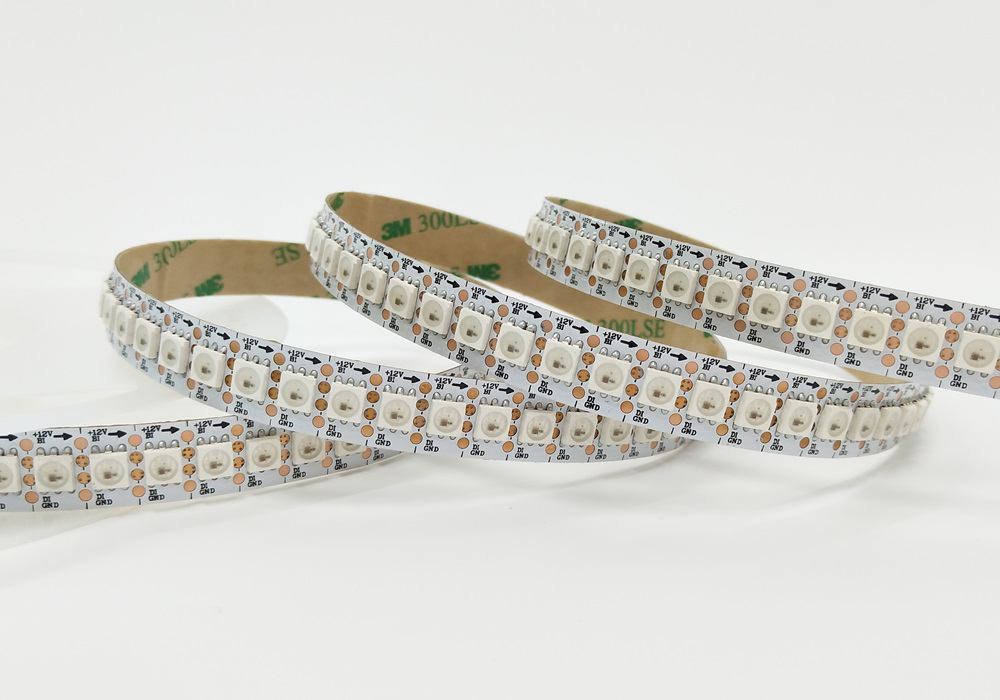
144 LEDs/m provides approximately:
6.94 mm LED spacing
If each LED is individually addressable, one meter contains:
144 independent pixels
This allows very smooth transitions and detailed dynamic effects.
144 LEDs/m is particularly suitable for:
- Interactive lighting
- Pixel displays
- Close-view installations
- Entertainment equipment
- High-resolution animation
- Creative lighting products
For example, our WS2812B / SK6812 RGB 144 LEDs/m Addressable LED Strip is designed for applications that require very close pixel spacing and individual LED control.
But higher density also comes with additional system requirements.
Compared with 30 or 60 LEDs/m, a 144 LEDs/m strip can require:
- More power
- Better heat management
- Greater controller capacity
- More data processing
- More careful power distribution
Therefore, the highest density should only be selected when the application actually benefits from the extra resolution.
Does Higher LED Density Mean Higher Brightness?
Not necessarily.
More LEDs provide the potential for more light output, but actual brightness depends on how each LED is driven.
A 144 LEDs/m strip can operate each LED at a lower current, while a 60 LEDs/m strip may drive each LED at a higher level.
Therefore:
LED density alone cannot tell you the actual brightness.
For brightness comparison, it is better to check:
- Power per meter
- Actual lumen output
- LED efficiency
- Operating current
A higher-density strip may sometimes be selected mainly for smoother and more uniform light rather than higher brightness.
Pixel Density Also Affects Controller Capacity
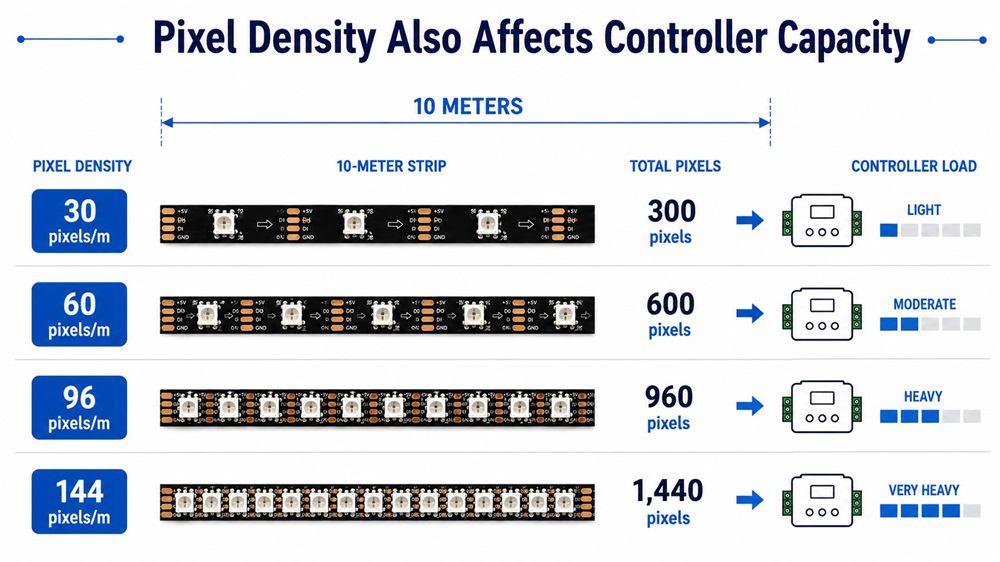
Consider a 10-meter individually addressable installation:
| Pixel Density | Total Pixels for 10 m |
| 30 pixels/m | 300 |
| 60 pixels/m | 600 |
| 96 pixels/m | 960 |
| 144 pixels/m | 1440 |
The physical installation length is identical, but the controller workload is very different.
This becomes particularly important when the project contains hundreds of meters of LED strip.
Depending on the system, the installation may need multiple controller outputs or several controllers working together.
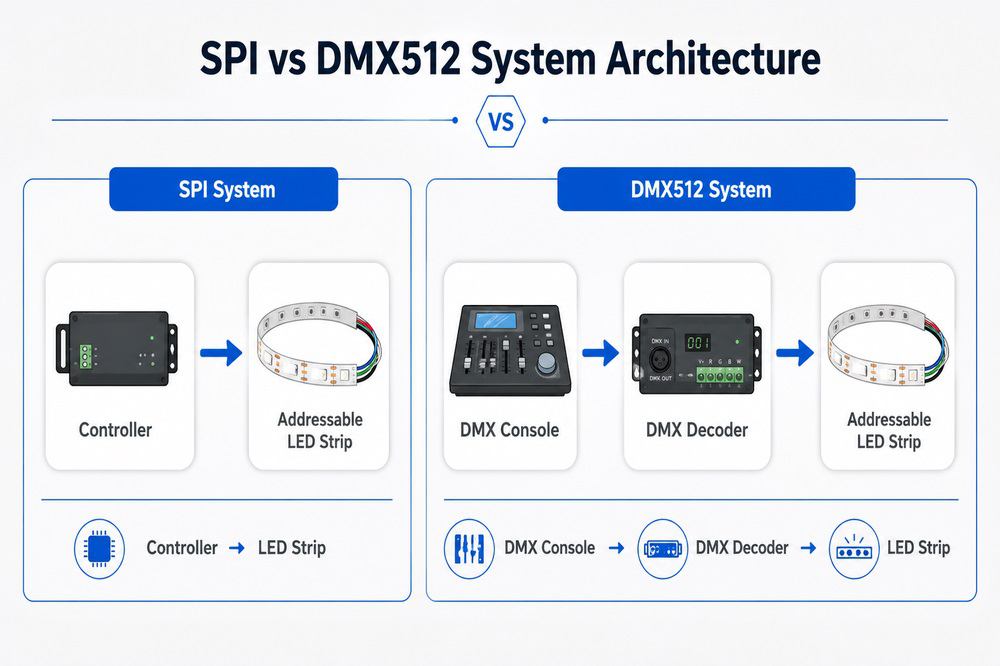
The control protocol also affects system design. Our SPI vs DMX512 Addressable LED Strip guide explains how these two control systems differ for professional lighting projects.
Viewing Distance Is One of the Most Important Factors
A useful way to choose pixel density is to start with viewing distance.
For example, imagine two projects.
Building Outline
The LED strip may be installed several floors above the viewer.
At this distance, individual pixels visually blend together. A moderate pixel density may already provide a smooth dynamic effect.
Retail Display
Customers may stand less than one meter from the LED strip.
In this situation, large gaps between pixels become much more noticeable. Choosing 96 or 144 LEDs/m can significantly improve the visual result.
This is why the best question is usually not:
“What is your highest density addressable LED strip?”
but:
“From what distance will people normally see the lighting?”
Which Density Should You Choose?
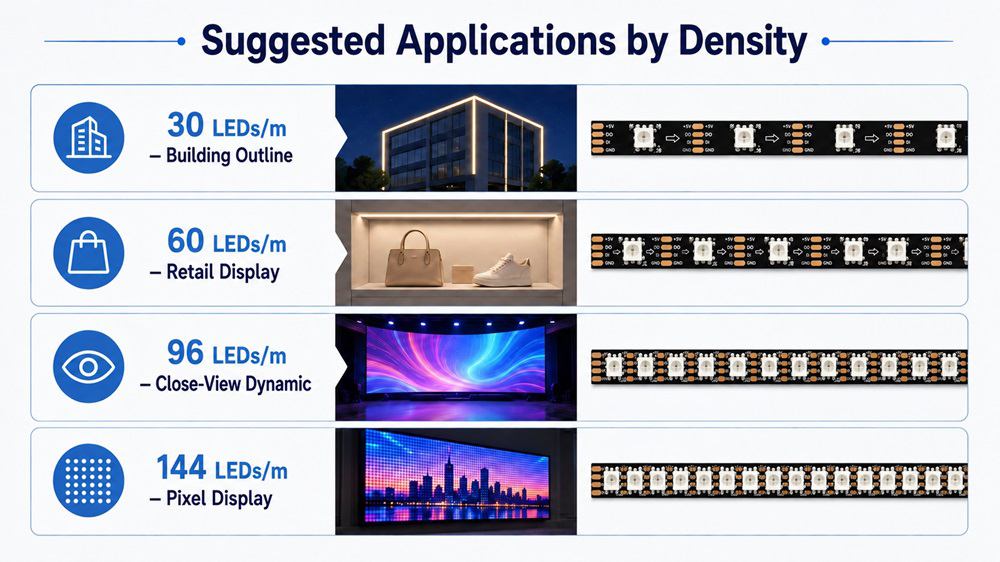
The following table can be used as a general reference:
| Application | Suggested Density |
| Building outline | 30 LEDs/m |
| Long-distance decorative lighting | 30–60 LEDs/m |
| Retail display | 60 LEDs/m |
| Signage | 60 LEDs/m |
| Interior decorative lighting | 60–96 LEDs/m |
| Close-view dynamic effects | 96 LEDs/m |
| High-resolution animation | 96–144 LEDs/m |
| Pixel display / creative installation | 144 LEDs/m |
These are not fixed rules.
The final selection should also consider voltage, IC type, power consumption, PCB width and control system.
Choosing Pixel Density for Custom OEM Projects
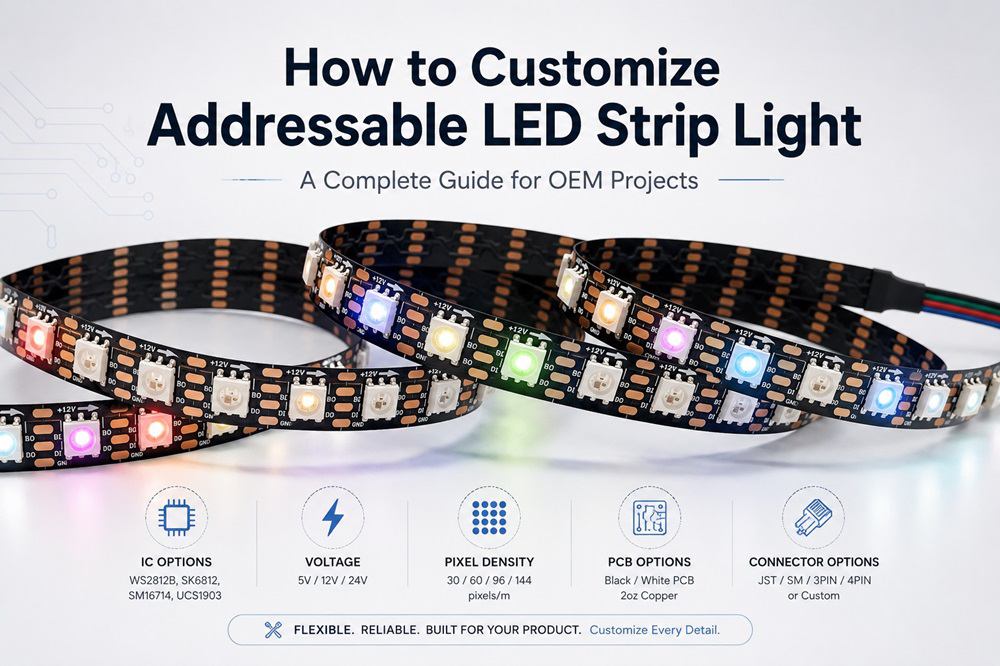
For OEM projects, LED density should be considered as part of the complete LED strip design.
A customer may require:
120 LEDs/m + 40 pixels/m
because three LEDs need to work together.
Another project may require:
60 LEDs/m + 60 pixels/m
because every LED needs to be controlled independently.
Other specifications may also include:
- 5V, 12V or 24V
- Built-in or external IC
- RGB or RGBW
- PCB width
- Waterproof structure
- Special strip length
- Custom wires and connectors
This is why a higher LED density is not always the best solution. The ideal specification is the one that matches the required visual effect and complete lighting system.
Conclusion
30, 60, 96 and 144 LEDs/m addressable LED strips are suitable for different project requirements.
30 LEDs/m is practical for large installations and longer viewing distances.
60 LEDs/m offers a balanced solution for many commercial and decorative applications.
96 LEDs/m provides smoother dynamic effects for closer viewing.
144 LEDs/m offers high pixel resolution for detailed animations and creative lighting projects.
When selecting a pixel LED strip, do not compare LED density alone.
Consider LEDs/m, pixels/m, LEDs per pixel, viewing distance, power consumption, controller capacity and installation conditions together.
Hanron Lighting can customize addressable LED strips with different LED densities, pixel densities, ICs, voltages, PCB widths, RGB/RGBW configurations, waterproof structures and connectors according to OEM and project requirements.
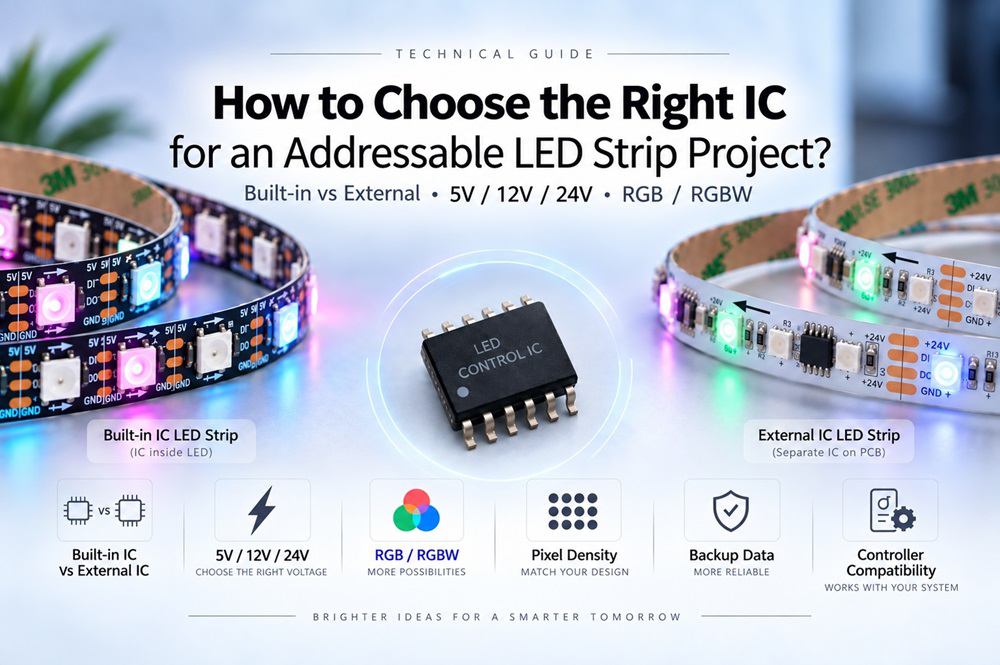
How to Choose the Right IC for an Addressable LED Strip Project?
Related Article
Need an Instant Quote For Your Upcoming Projects?
Send us the details and we will get back to you within 12 hours.